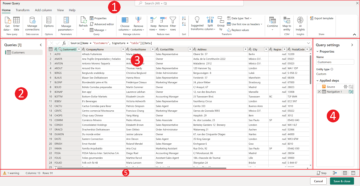
Power Query
Introduction
“In this lesson, we’ll dive into Power Query, a powerful tool within Power BI that allows you to clean, transform, and reshape your data. Power Query is essential for preparing data for analysis, and mastering it will make your work in Power BI far more efficient.”
What is Power Query?
- “Power Query is a data preparation tool that connects to various data sources and enables you to transform the data into a usable format.”
- “It supports tasks such as filtering rows, renaming columns, combining data from multiple sources, and performing calculations.”
Common Transformations in Power Query
- Change Data Types:
- “Ensure columns have the correct data type, such as text, number, or date. This is critical for accurate analysis.”
- Filter and Sort Data:
- “You can filter out unnecessary rows and sort your data by specific columns.”
- Split and Merge Columns:
- “Split a column into multiple parts based on delimiters, or merge several columns into one.”
- Remove Duplicates:
- “Eliminate duplicate rows to ensure clean data.”
- Append and Merge Queries:
- “Combine data from multiple tables or data sources into one cohesive table.”
Hands-On Exercise
- “Use Power Query to clean a messy Excel sheet by:
- Removing empty rows and columns.
- Renaming columns for clarity.
- Changing data types to ensure compatibility with calculations in Power BI.”
Lesson Recap
“Power Query is your go-to tool for transforming raw data into a clean, structured format. In the next lesson, we’ll look at entering data manually into Power BI.”